

If you are a gamer, a streamer, a podcaster, or just someone who likes to chat online, you have probably heard of Discord. Discord is a free app with voice and text features that lets you make or join servers for many topics and communities, just like old forums but with more functionality.
You can use it to chat with strangers mostly, join voice channels with weird accents, share memes, weird gifs, strange videos, and more. It is also a great platform for hosting events that no one participates in most of the time, such as game nights, watch parties and book clubs etc.
But how do you get started? How do you download it, login to it, and sign up for it?
We will show you how to download Discord for your device, how to login to your existing account or create a new one, and how to join or create servers that suit your interests. By the end of this article, you will be a Discord pro who can chat with anyone online.
Discord Download

Discord can be downloaded for Windows, Mac, Linux, iOS, Android, and also good old web browsers. You can download Discord for your device from the official website: https://discord.com/download.
Alternatively, you can use the web version by going to https://discord.com/app in your browser.
To download for your device, follow these steps:
- Go to https://discord.com/download and choose your platform (Windows, Mac, Linux, iOS, Android).
- Click on the button that says download and wait for the file to load.
- Open the file you just downloaded and follow the installation instructions by the setup.
- Launch!
Discord Login

If you already have a account, you can login to it using your email and password. To login to Discord, follow these steps:
- Launch Discord on your device or go to https://discord.com/app in your browser.
- Click on the login button.
- Enter your email and password and click on login.
- You will be taken to your home screen where you can see your servers, friends list, direct messages, and more.
Discord Sign Up
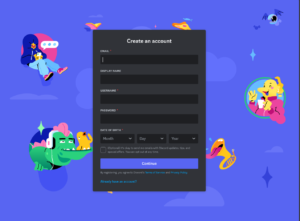
If you don’t have an account yet, you can sign up for one for free. To sign up, follow these steps:
- Launch Discord on your device or go to https://discord.com/app in your browser.
- Click on the register button.
- Enter your email, username, password, and date of birth and click on continue.
- You will receive an email. Open it and verify.
- You will be taken to your home screen where you can start using Discord.
Discord Servers
Servers are the main feature of Discord. They are like online communities where you can chat with other people who share your interests. You can join existing servers or create your own ones. To join or create servers on Discord, follow these steps:
- To join a server, you need an invite link from someone who is already in the server. You can also browse public servers by clicking on the explore button at the bottom left corner of the screen. Once you have an invite link, click on it and then click on join server.
- To create a server, click on the plus button at the bottom left corner of the screen. Choose a name and an icon for your server and click on create. You can then make your server unique and strange by adding channels, quirky roles, bots, emojis among other things.
Discord is a fun and easy way to chat online with random people across the world. You can download it for free for any device and start using it right away. You can login to your existing account or sign up for a new one in minutes. You can join or create servers for any topic or community you want.
Whether you want to play games, watch movies, listen to music, or just talk with friends (arguing with trolls), Discord has something for everyone.
Continue Reading: Sandbox Games: Factorio PC Game for Best Construction